Operations & Daily Procedures
Learn PALOMA's daily rhythms, shift procedures, and operational systems that keep our spa running seamlessly from opening to closing.
Why Operations Matter
PALOMA runs like a well-choreographed experience. Every team member — from Experience Guides to Service Providers to Coordinators — plays a specific role in making the day flow seamlessly. When operations run smoothly, guests feel the care and attention to detail that defines our brand. When they break down, the whole experience falters.
The Truth About Operations: Flawless operations are invisible to our guests. They don't see the Daily Playbook or the Day At A Glance form. What they feel is the ease, the timing, the thoughtfulness. Our job is to make that feeling possible.
This module walks you through every procedure that makes PALOMA's day work — from the moment you arrive to the moment you leave.
Arrival & Shift Start
Your first moments of the day set the tone for everything that follows. Here's the protocol:
- Service Providers (LMTs, Skin Therapists): Arrive 15 minutes before your first client. This gives you time to center yourself, prepare your room, and review any client notes.
- All Other Associates: Arrive 5 minutes before your scheduled start time. This is non-negotiable — being on time is being late.
- Find the MOD (Manager on Duty): Upon arrival, locate the Manager on Duty for any important "downloads" about the day that may impact your experience or the guest experience.
- Clock In via Sling: Use the Sling app to clock in for your shift. If you miss a clock-in, note it in Sling the same day.
- Back Door Protocol: The back door is off-limits during business hours unless you're escorted by a manager. Always use the front entrance for arrivals and departures.
"Being early is a gift you give the day and to your team. Show up ready to serve."
Break Schedule & Requirements
Associates who work 5 or more hours are scheduled for unpaid breaks. This maintains our service standard while giving you time to recharge:
| Shift Length | Break Duration |
|---|---|
| 5–6 hours | 30-minute break |
| 7+ hours | 60-minute break |
Break Guidelines:
- Break times are assigned by the Manager on Duty based on the Daily Playbook
- Any changes to your scheduled break require manager approval
- Goal: Maintain 2 Experience Guides at front + 1 Coordinator at all times, even during breaks
- Clock in and out for breaks via Sling. If you miss a break clock-in/out, your timesheet will auto-adjust
The Daily Playbook Form
The Daily Playbook is the spine of our day. It outlines the support team, assigns breaks, flags peak times, and coordinates our Meditation Dome. This form must be complete 15 minutes before opening.
- Outlines the support team and assigns breaks for all hourly staff members — ensuring 2 Experience Guides at front + 1 Coordinator at all times
- Positions Experience Guides in secondary roles: Retail Curator, Sauna Guide, Private Event Host, Dome Stager, Gift Card Support, Coordinator Backup
- Flags peak spa turnover times — identifies when 4+ flips are happening at once and notes where additional support is needed
- Notes Dome setup at opening, mid-day, and closing so all setup/teardown is organized and timed
- Highlights atypical downtime tasks — anything outside of daily checklists that needs attention
- Identifies which Experience Guide is completing AM coordinator tasks when 2 EGs are opening and coordinator arrives at 9am
At the beginning of each shift, the Manager on Duty should review the Playbook verbally with each team member. This is not optional — it sets expectations and ensures everyone is aligned. Cover:
- Their assigned role and secondary role (if applicable)
- Their break time and who is covering their duties
- Any peak spa times when they may need to support room flips
- Dome setup/teardown times if they're involved
- Any special notes or atypical tasks for the day
📋 Example Playbook — Sunday 2/22
Review a real completed Playbook below to see how it looks in practice.
It's 8:45am. You're reviewing the Daily Playbook and notice 5 room flips scheduled for 9:15am — a prenatal massage, a cupping transition, ear seeding, and two back-to-back services. Your manager hasn't flagged this as a peak spa time. What do you do?
How would you handle this?
Experience Guide Secondary Roles
Experience Guides wear many hats. Depending on the day's needs and the Playbook, you may take on one of these secondary roles. Understanding each is key to flexibility and supporting the team:
Retail Curator
You love product recommendations and connecting guests with at-home self-care rituals. You're passionate about the "why" behind what we sell and how it extends the PALOMA experience into guests' homes. Your curiosity helps guests discover products that actually serve their lives.
Sauna Guide
Knowledgeable about Sunlighten infrared sauna benefits and operation. You escort guests to the sauna, explain the experience, answer questions about temperature and duration, and can flip the sauna during peak times to keep the day's energy moving. Your expertise makes guests feel cared for.
Private Event Host
Greets private event guests upon arrival with warmth and intention, ensures seamless transitions between dome and spa throughout their experience, checks in mid-event, and delivers the final thank-you. You're the warm, attentive face of every celebration.
Dome Stager
Strong attention to detail and execution of the Dome experience. You set up for meditation, sound baths, and workshops with precision — every pillow, blanket, crystal, and speaker in its perfect place. Your work creates the container for profound guest experiences.
Gift Card Support
Holiday point person for gift card transactions. You become the expert on denominations, value options, and how to make gift-giving easy. You free other Experience Guides to stay focused on spa guests during our busiest season.
Coordinator Backup
Supports the Experience Coordinator during peak times. You jump in to help flip rooms, prep treatment spaces, manage guest transitions, and keep the energy smooth when the day gets hectic. Your backup support is what allows everything to flow.
The Day At A Glance (DAAG) Form
The DAAG is the real-time document for therapists and team. It captures room assignments, guest transitions, group appointments, and guest notes in one place. Must be complete 15 minutes before opening.
- Assigns treatment room to each provider — thoughtfully scheduled so no therapist has shift overlap in the same room (e.g., if Tiera works 10-2pm and Monica works 3-8pm, they can share a room; if Tiera works 10-4pm and Monica works 3-8pm, they cannot due to overlap)
- Captures guest transitions — notes when a guest is receiving 2+ spa services in treatment rooms, allowing therapists to prepare transition bags and maintain continuity
- Indicates group appointments — flags 2+ guests scheduled together so team can prepare kombucha, champagne, mindful gifts for occasions
- Captures guest notes and service enhancements in one place — appointment/profile notes, scheduled enhancements, transition service flags, group appointment details all visible at a glance
- Notes Dome setup throughout the day and at closing, so everyone knows what's currently set up and what will be set up next
- Open Zenoti appointment book and the DAAG spreadsheet in Excel. Use Tile windows to see both side-by-side
- Right-click on yesterday's date sheet at the bottom of the DAAG file
- Select "Move or Copy"
- Select yesterday's date and check the "Create A Copy" checkbox
- Rename the new sheet with today's date
- For each therapist and esthetician, check Sling to see who is working. Color their cell grey and type "OFF TODAY" for anyone not scheduled
- For all providers working, assign treatment rooms. Be thoughtful about shift overlaps — two providers can share a room only if their shifts don't overlap
- Starting with the first therapist column, go guest-by-guest through the day. In the GUEST NOTES column, capture: appointment notes, profile notes, any enhancements they're scheduled for, if it's a transition service (2+ treatments), and if it's a group appointment
- Turn to the Dome section. Check three places in the appointment books for Dome activity: Meditation Guide Books (Sound Journeys, Private Meditations, Private Sound Baths), Public Classes list, and Aura Photography appointments
- List all Dome activity in chronological order. For each activity, note: number of seats/beds needed for the session, beverage type (Moodbelli, etc.) and what time to serve
- Fill in the CLOSING DOME SETUP row by looking at tomorrow's appointment book. Note the first Dome activity scheduled and how many chairs/beds will be needed (example: "Private Sound Bath - 5 people")
- Go through the Infrared Sauna books. For each session scheduled, note: appointment time, guest name, guest notes (group size, enhancements, transitions), and sauna length (how long they booked)
- Save the file and print 2 copies
📋 Example DAAG
Review a real completed DAAG below to see how it looks in practice.
End of Day Summary
The EOD Summary is PALOMA's daily record of what happened, how the team performed, and what leadership needs to know before the next shift begins. It is completed by the Manager on Duty or an Experience Guide throughout the shift and emailed to leadership before the closer leaves for the night.
📋 EOD Summary — Training Guide
Review the guide below to understand every section of the EOD Summary — what to include, how to write it, and why it matters.
Special Guest Experiences
Some visits require more from us than a standard appointment. Transition Services, Group Appointments, and Spa Journeys each call for intentional preparation before the guest arrives, thoughtful coordination during their visit, and a warm, complete send-off at checkout. When you see one of these on the DAAG, treat it as a cue to go above and beyond.
Transition Services
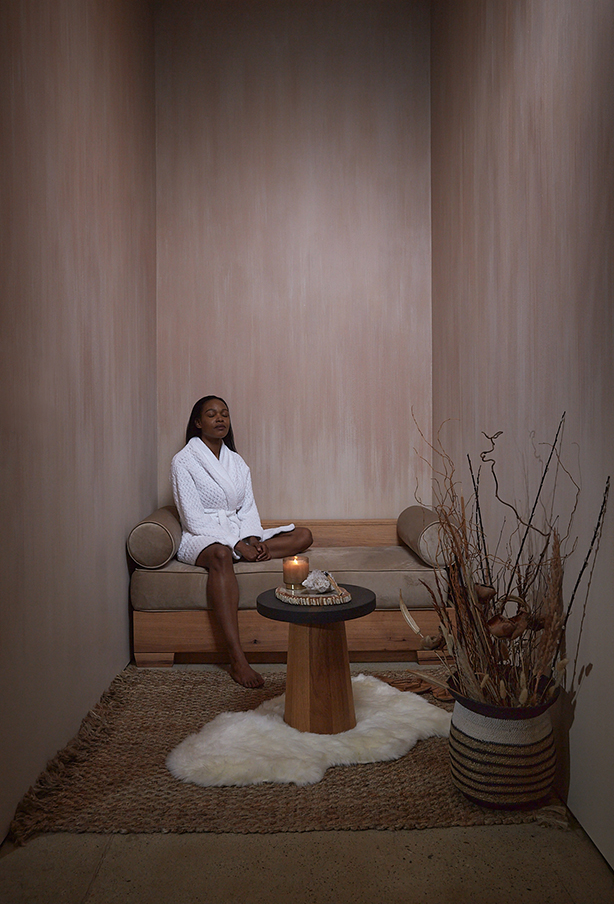
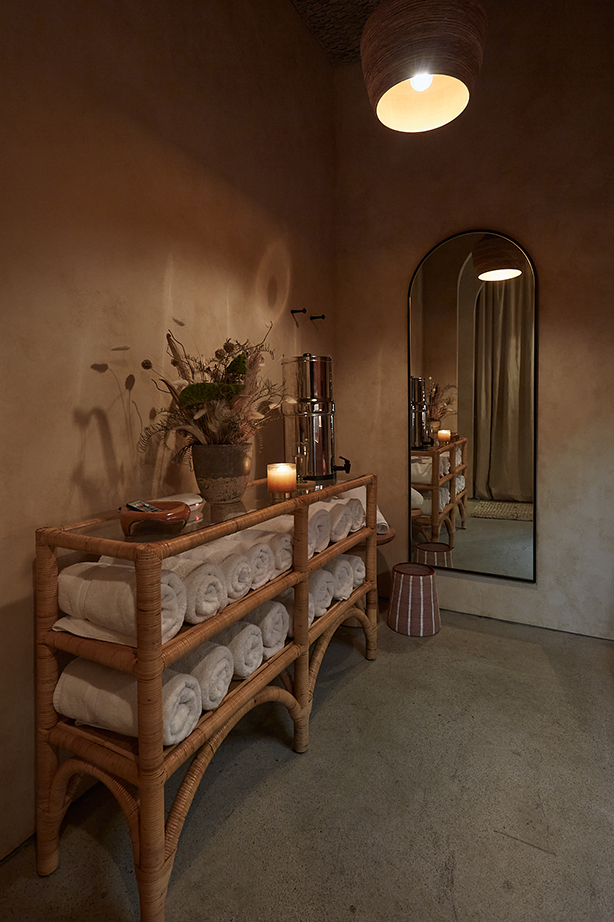
A transition service occurs when a guest is receiving 2 or more spa services in treatment rooms (e.g., massage + facial). Transitions allow guests to move between treatments without fully dressing, preserving their meditative state.
Group Appointments
A group appointment is 2 or more guests scheduled for spa services together. Groups require intentional coordination before, during, and after — the goal is for everyone to feel equally celebrated and cared for throughout their visit.
Spa Journeys
A Spa Journey is an immersive, multi-service experience designed to take guests through a curated sequence of treatments, rituals, and sensory moments. Each journey has its own flow, beverage, and parting gift.
- ◆ Room Assignments — especially if an evening therapist is in the same room as a morning therapist. Flipping that room is first priority.
- ◆ Transition Bags — must be in the correct treatment room before you bring the guest back. EC's responsibility, but Experience Guides should confirm.
- ◆ Dome Set Ups — check and confirm dome configuration throughout the day.
- ◆ Sauna Transitions — sanitize and reset the sauna after each session to keep the day's flow on time.
- ◆ Closing Dome Set Up — if you are the closing Experience Coordinator, this is a key part of your closing responsibilities.
These colors appear on the DAAG and signal specific actions needed from the team.
📐 Treatment Room Setup Standards have moved to their own dedicated section. View Visual & Space Standards →
Opening, Mid-Day & Closing Checklists
These are the daily operational checklists for Experience Guides and Experience Coordinators. You'll learn each task hands-on during your 8 shadow days on the floor — this section is here so you can get familiar with the full scope of each role before your first shift. Use the tabs below to explore tasks by role.
💡 Note: Service Provider checklists (Lymphatic Specialist, Esthie, etc.) are role-specific and will be covered separately with your trainer and team lead. If you are a Service Provider, ask your manager for your onboarding checklist.
Studio Setup
- Turn on lights & music
- Prepare drink station
- Unload dishwasher
- Restock retail shelves
- Wipe window sill, benches & side tables
- Stock bathroom supplies (soap & toilet paper)
- Ensure main hallway & retail space rugs are vacuumed before open — MANDATORY
- Refill CBD gummies at front desk Check out by bag in system
- Sweep outside near windows & door, cut wild weeds Salt sidewalk if icy or snowy
- Ensure EC windexes glass table top in vestibule & Dome
Front Desk & Admin
- Check Akasha's books for male clients
- Pull Center Summary Target Report and update Sales Log within EOD document Instructions to fill out this log are in the file
- Review and confirm Day At A Glance spreadsheet — print, highlight today's notes Transitions, group appts, add-ons/enhancements, cacao beverages, and important notes
- Fill out EOD with staff for the day and opening service sales
- Print today's Playbook
- Print forms for the day
- Count cash drawer — confirm drawer is at $300 in Zenoti 3-dot icon (top right of appt book) → Close Payments → Currency Count → input denominations → click X (do not save)
- Light incense (bathroom, vestibule, front desk)
Morning MOD Only
- Fill out pre-shift
Guest Scheduling & Communication
- Check Zenoti Waitlist — move clients with availability into appointment slots; call same-day bookings Confirm therapist availability and deep tissue maximums
- Send 24-hr form reminder text messages
- Check for same-day cancellations with outstanding balance (charge or discount accordingly)
- Check SOAP notes from previous day (confirm guest info is updated)
- Mid-day form check for same-day or online bookings
- Call all unconfirmed appointments 48 hours out
- Send upgrade/add-on texts to guests for the day Meditation, sauna, 60/90 min upgrade, etc.
- Send 24-hr lymphatic drainage info text to any lymph clients booked for next day
- Send 24-hr same-day facial promotion texts for next day (M–F only)
- Check Info Email Account for gift requests — complete 3 gift options and send photos & descriptions to guest This should be checked multiple times a day
Admin & Reporting
- Mid-day retail summary check
- Fill out Deep Tissue Tracker using the LMT Max Deep Tissue Chart Flag any therapists shifts that are overbooked; capture in EOD under Follow Up Action Items → Employee Follow Up
- Complete Book Scrub tasks for the day and early morning following day; follow up on appointment holds
- Create Day At A Glance spreadsheet for tomorrow (if able during downtime)
Studio Maintenance
- Sweep sides of hallway with Swiffer duster to pick up mid-day dust bunnies
Downtime Tasks (Completed Weekly)
- Re-stick candle labels and fill candle boxes
- Barbicide all door handles, phones, and highly-touched surfaces
- Deep clean the bathroom Pull all baskets and items from wall to sweep/Swiffer, clean behind the toilet, etc.
- Wipe down bathroom walls with wet rag (remove dust and candle soot)
- Vacuum, sweep & Swiffer the Dome Use the small vacuum. Only when The Sanctuary is empty. Ensure all doors are closed to The Dome.
- Organize & clean the AV closet
- Dust vents, ceilings & other high places to clear dust and cobwebs
- Check the Cancellation List — clear out old listings and call any guests with openings that may have come available
- Windex the front door
- Restock from storage unit Retail bags, tissue paper, gift boxes, gift card boxes, suede pouches, gift cards, QR codes, PALOMA tape, etc.
- Pull weeds from out front and out back of the building, spray with weed killer
- Check physical intake form stock in binder (ear seeding, minor, chem peel) and print more if needed
- Check product order form & inventory stock; call any guests waiting on a restock Set product aside in the retail bag cabinet
- Label sample jars with brown kraft labels
- Fill and label 7-day & 60-day CBD gummy jars
Front Desk
- Cash tip-outs for service providers Ensure their treatment rooms have been fully cleaned & reset before giving tips
- Create Day At A Glance spreadsheet for tomorrow
- Ensure all invoices are closed — check open invoices from cancelled and no-show appointments Reports icon → Today's Sales → Status: Open, Cancelled, No Show → charge any invoices with a balance due
- Count Cash Drawer & Close Register 3-dot icon → Close Payments → Currency Count → input denominations → confirm accuracy → input Cash Deposit under Register Handover (leave drawer at $300) → enter Bank Name: Huntington Bank
- Make Cash Deposit & place in Deposit Lock Box Pull deposit in largest denominations, fill out deposit slip (date, initials, amount), stamp envelope, note date/amount/full name on outside
- Check Zenoti Waitlist — move clients with availability; use text scripts to confirm appointments
- Pull Today's Sales Summary Metrics and input in EOD Reports icon → Summary → Daily Financial Summary (reference EOD #'s SOP in SOP Binder if needed)
- Complete EOD Sales Summary email & send to leadership team
- Close all apps and clean tablet screens with Windex and paper towel
- Charge iPods, iPads & computer mice
- Empty and clean up drink station
- Send remaining Google Review text prompts to highlighted clients in EOD
- Check notes for the following day; add any items the opening team needs to know
- Check Akasha's books for the following day for male clients
- Ensure heater is unplugged and tablets are charging
Bathroom
- Wipe down hand dryer, soap dispenser, railing & back of toilet
- Clean toilet (use disposable toilet bowl cleaner head & brush)
- Clean the sink with bathroom cleaner & a cleaning towel
- Windex mirrors
- Dust walls
- Take out bathroom trash
- Sweep & Swiffer
Studio
- Restock boutique shelves
- Restock boutique drawers
- Windex front door & mini fridge door
- Restock mini fridge — 2 champagnes, 3 kombucha, 3/flavor cans of RECESS
- Empty trash cans
- Dust all retail shelves
- Sweep & Swiffer
- Support coordinator with vacuum/Berkey refill
- Ensure all treatment rooms are shut down properly
- Disinfect all touched surfaces, doorknobs, computers & phones
- Plug in Dome iPod using the Dome charger
- Pause music on iPods and turn music OFF in AV closet (big red button + Dome power button)
- Turn off lights, lock up, set alarm & clock out
Top Priority — Complete First
- Turn on power strip for hot stone warmer
- Plug in all treatment rooms and turn on table warmers + Sauna See Sauna section of checklist for detailed steps
- Sanitize sink before making hot towels Spray with Barbicide, let sit 10 minutes, wipe down and rinse
- Make 3 hot towels for each massage room in use
- Make 12 hot towels for each facial room Note: this is for an 8-hour shift that is entirely booked
- Vacuum the main hallway rugs and the retail space rugs — MANDATORY
- Start a load of laundry
- Review Day At a Glance form & prepare for the day
- Configure Coordinator Board
- Make Barbicide
- Put away clean laundry from Linen Drop Off
- Vacuum the Dome
Dome
- Check the DAAG & Playbook for Dome Events — ensure The Dome is set up appropriately
- Ensure LED lights are turned on
- Compare credenza to photo reference
- Replace tea lights as needed
Lymphatic Suit
- Validate presentation is set
Sauna
- Turn the Sauna On Press power button on tablet (lower right) → select 'PALOMA Giometti' → press 'Power On' → select max duration 480 minutes → click 'Start 480-minute session now.' NEVER step into sauna with shoes on.
- Turn Sauna Exterior Lighting On Sauna Settings → Lighting → slide to On (exterior lights illuminate the word PALOMA)
- Turn Sauna LED Lights On Using LED remote (on glass/wicker table next to Berkey) → click ON. If lights don't turn on, open sauna door and point remote directly at LED bulbs.
- Turn on sound machine in Sauna Room
- Confirm Face & Body wipe set on the shelf for the first sauna session 2 sets for 2 guests, 3 sets for 3, 4 sets for 4
Miscellaneous
- Check hand sanitizer dispenser stock (lobby, vestibule, locker room)
- Check hand soap dispenser + TP stock in bathroom
General Daily Responsibilities (Throughout the Day)
- Keep up on laundry — when flipping facial rooms, rinse product-stained towels in sink before laundering
- Flip treatment rooms between appointments
- Sweep as needed
- Help keep breakroom clean (dishes out of sink, Barbicide tub clear)
- Disinfect and set up the Dome after every class
- Help healers prepare treatment rooms and products for treatments
- Unpack and put away general supplies (laundry detergent, paper towels, toilet paper, soap, etc.)
- Maintain continuous communication with Experience Guides, healers, and management
- Sauna prep, sanitation & session set-up for guests
- Fill the Berkey Water Filter
- Stock rolled towels and towel wraps in the Sauna Room
- Make cacao beverage for private meditations
- Set up Dome for seated classes, lay-down classes, sound journeys, workshops, and aura
- Locker room checks after any classes, sound journeys, or workshops
- Add any product needs to the ordering chat
- Hang all clean & dried transition robes — ensure all have ties attached
Consumables & Change Run
- Check consumables stock levels and create a list of items needed — review with a manager or key holder and go to Target or Giant Eagle during a non-disruptive time Monday and Thursday. Ensure FOH and MOD know when you will not be in the building.
- Ask MOD if a change run is needed (from the register and the petty cash envelope)
Treatment Rooms & Hallway
- Confirm hallway/rooms look tidy
- Connect with therapists/esthies regarding hot towels
- Double-check rooms are either shut down or set up for the incoming person properly by therapists
- Disinfect all light switches and door handles throughout the day
- Replenish esthie hot towels (count remaining appointments × 4 towels per appointment)
Breakroom
- Cup check — keep an eye on glass stock up front; run the dishwasher or hand wash as needed
- Confirm space is organized (cabinets, bins, treatment/breakroom counters)
- Sweep & Swiffer thoroughly (moving chairs, trash cans, laundry bags, etc.)
Periodic Tasks
- Every Wednesday — Replace and wash eye pillow covers
- Every Monday — Check that slippers are clean; wipe with disinfectant wipe if needed
- Last Monday of every month — Remove weighted inserts and bag covers for weighted blankets
Dome
- Support setups as needed
- Check tealight candles and replace as needed
Sauna
- Remove floor grate inside sauna and wipe down/vacuum out Only vacuum when no clients are in treatments or meditation is in session
- Move all items off table and Windex the glass shelves
Sauna
- Wipe down entire sauna with Sauna Cleaning Solution (benches, floors)
- Wipe down sauna glass door with Sauna Glass Cleaner
- Sweep the floor inside the Sauna
- Mondays only — Vacuum under the sauna floorboard
- Sweep and Swiffer the room
- Turn off exterior light of the sauna (Sauna Settings → Lighting → OFF)
- Turn Sauna Off (push & hold button on lower right of tablet)
- Turn LEDs off (using LED remote)
- Reset the Sauna with clean towels (check books for following morning)
- Wipe down table with glass cleaner
- Mondays only — Empty & clean the Berkey Water Filter
- Refill the Berkey
The Dome
- Blow out / turn off any candles
- Sweep and Swiffer The Dome
- Vacuum the Dome rugs
- Dust & wipe down credenza
- Turn off LED lights
- Reset up The Dome (check Day At A Glance for closing setup)
- Check AV closet & credenza in The Dome — ensure organized and easily accessible
Treatment Rooms
- Check that all treatment rooms have been unplugged and hot towels have been emptied from warmer — caddy door left open
- Turn off all lights in treatment rooms & hallway
- Vacuum treatment hallway rugs and treatment rooms
Breakroom — Before Close
- Ensure dishwasher is loaded and running
- Clean out the sink & wipe down with Barbicide
- Turn off supply shelf power strip
- Refill all massage topicals from backbar cabinet in Office
- Flip and fold laundry
Breakroom — At Close
- Start a load of wet towels in the washing machine (bin left empty, lid propped open at night)
- Bag all flat & fitted sheets for Linen Service and place at front desk Sundays, Tuesdays & Thursdays
- Empty Barbicide and put away all implements
- Wipe down all surfaces with Barbicide wipe (countertops, tables, outside of fridge, etc.)
- Sweep & Swiffer breakroom
- Take out all trash
Refuge (Lymph / Esthie)
- Check that the Refuge is set up correctly for the following day Sun–Fri: Lymph setup · Sat: Esthie setup
Before Leaving
- Vacuum rugs in main hallway and retail space
- Look at tomorrow's books & make notes to the Experience Coordinator opener Low product, guest issues, anticipations, laundry priority — anything they may need to know for the day to run smoothly
Completed during available downtime throughout the week.
Treatment Rooms & Hallway
- Dust the bases of the beds & wipe down the hot towel warmer
- Trim the rugs
- Move the vestibule rugs/table and sweep & Swiffer underneath
- Barbicide all light switches
- Windex treatment room mirrors
- Dust light fixtures (treatment rooms & hallway)
Breakroom
- Clean out the fridge (throw away old/expired items, wipe down shelves, organize freezer tools)
- Wipe down all countertops (underneath appliances and other items)
- Organize under-sink cabinets
- Sweep & Swiffer thoroughly (moving chairs, trash cans, laundry bags)
- Clean microwave (inside and out)
- Clean out implement sink and drying rack Spray with Barbicide, let sit 10 min, then wipe clean
- Last Monday of every month — Remove weighted inserts and bag covers for weighted blankets
Dome
- Organize credenza cabinets
- Wipe down candle holders
- Check that tea candles are not stacked in holders
- Wash & change out Dome blankets
- Wash & change out weighted eye covers
- Clean smudge bowls
Sauna
- Remove floor grate inside sauna and wipe down/vacuum out
- Move all items off table and Windex the glass shelves
- Sand & clean wood in sauna
Key Takeaways
Before you move on, make sure you can answer:
- What time should Service Providers arrive vs. other associates?
- What are the six functions of the Daily Playbook form?
- What are the five uses of the Day At A Glance form?
- What is the break schedule for 5-6 hour vs. 7+ hour shifts?
- What secondary roles can Experience Guides take on?
- What are the three types of Special Guest Experiences, and what do they have in common?
- What makes a Spa Journey different from a standard appointment — and what prep does it require?
- What is the EOD Summary, who fills it out, and when is it sent?
- Name three opening tasks that are the Experience Coordinator's top priority each shift.
- Where can you find the Treatment Room Setup Standards for massage, facial, and sauna rooms?
Up Next: Module 3 focuses on Guest Engagement — the heart of PALOMA's experience. From warm welcomes to handling concerns with grace, you'll learn how to make every guest feel like they're being welcomed into our home.